A New Beat in Music Class

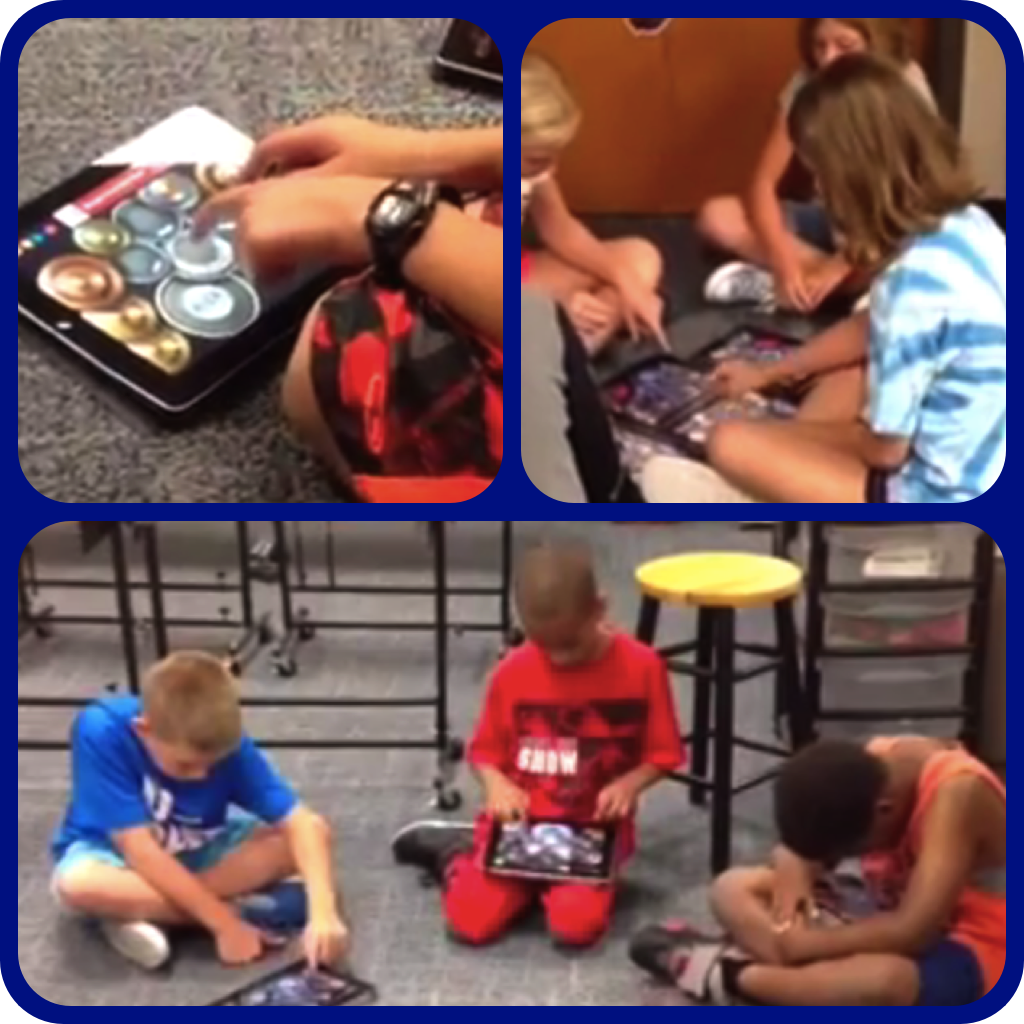
fcemusicThanks to FCE Music Teacher Marcia Abraham for sharing the innovation taking place in her Music classes at Fall Creek Elementary this fall! Mrs. Abraham is one of 23 elementary teacher ‘pioneers’ this year. As part of the Elementary Design Team, these teachers – from across the district – are discovering how iPads can support inquiry and problem-based learning in their classrooms. Click here to be taken to the FCE Music Blog. You’ll learn more about this new beat in music class, as well as hear some samples of student-created music.

Collaboration Stations Foster Teamwork

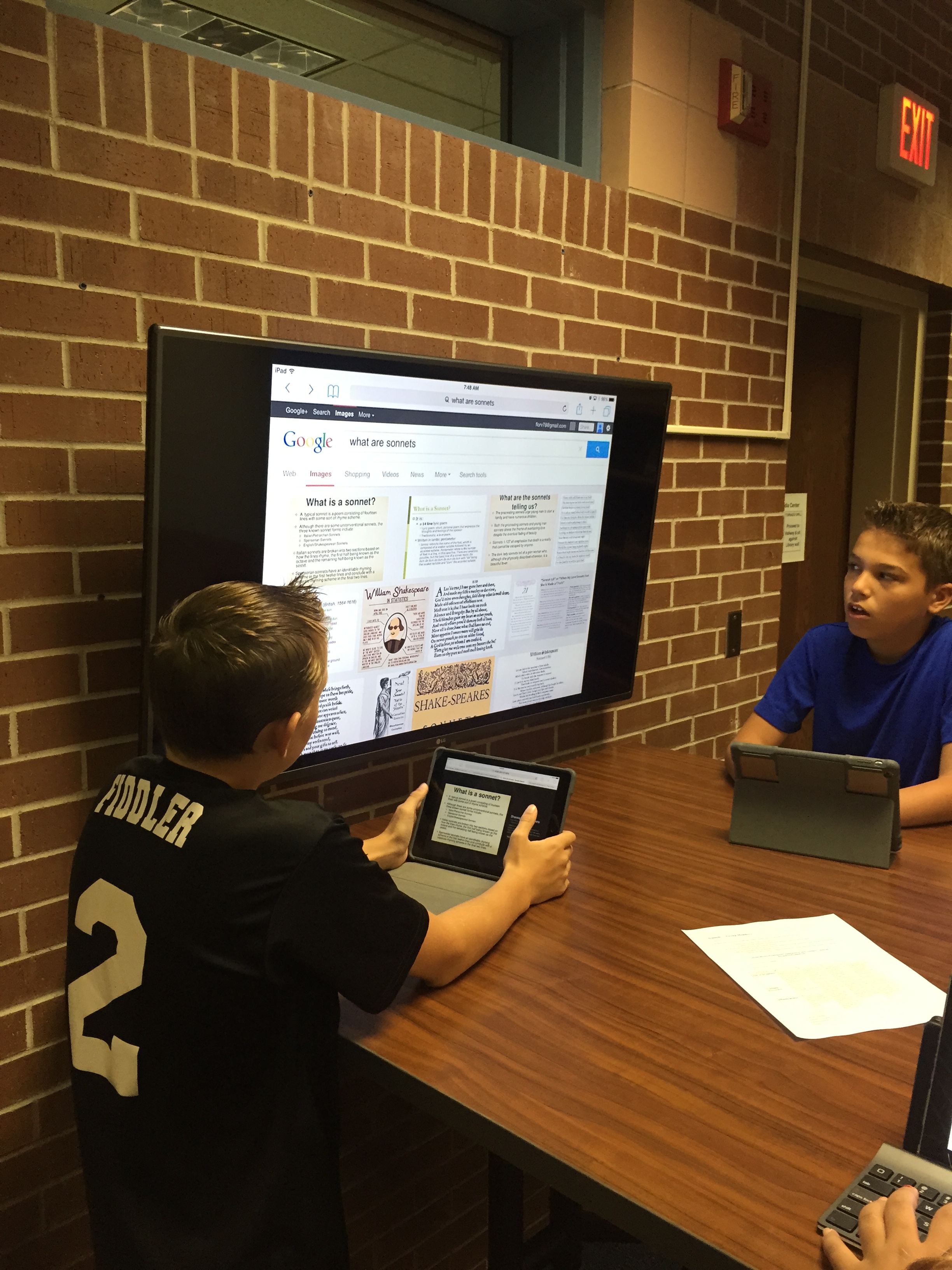
IMG_0503Twenty-first century careers require the ability to work with others to innovate and problem-solve. Fall Creek Junior High students in Mrs. Hiatt’s English class gained collaboration experience this week, as they worked in teams to research  types of sonnets and create presentations to share with the larger class.

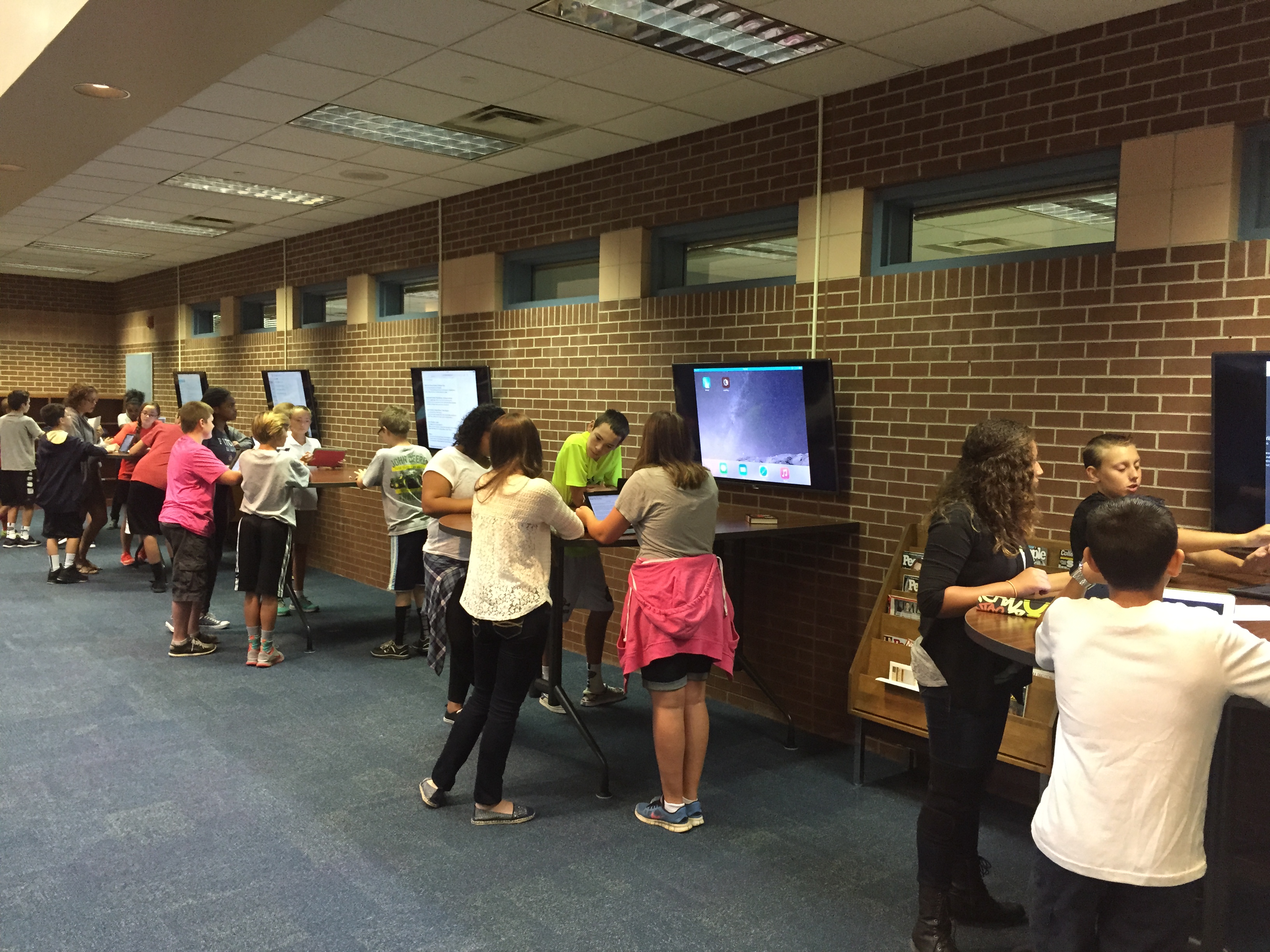
Teamwork, always an important part of instruction, has a new twist this year, though, with the addition of collaboration stations in the school’s Media Center. Each 50-inch screen monitor is synched with an Apple TV – giving students the ability to project one’s iPad screen in view of the entire group. Add PowerPoint Online to the mix, and students can work together to create a presentation in real time, with the most current version of the presentation on the ‘big screen’.

IMG_0506FCJH media specialist Mrs. Distler says, “We are very excited to have these stations for our students to use in conjunction with our 1:1 initiative.  It creates a great opportunity for students to work collaboratively while using their iPad as a tool to enhance their learning.”

HSeLearning: We Love Cohort PD!

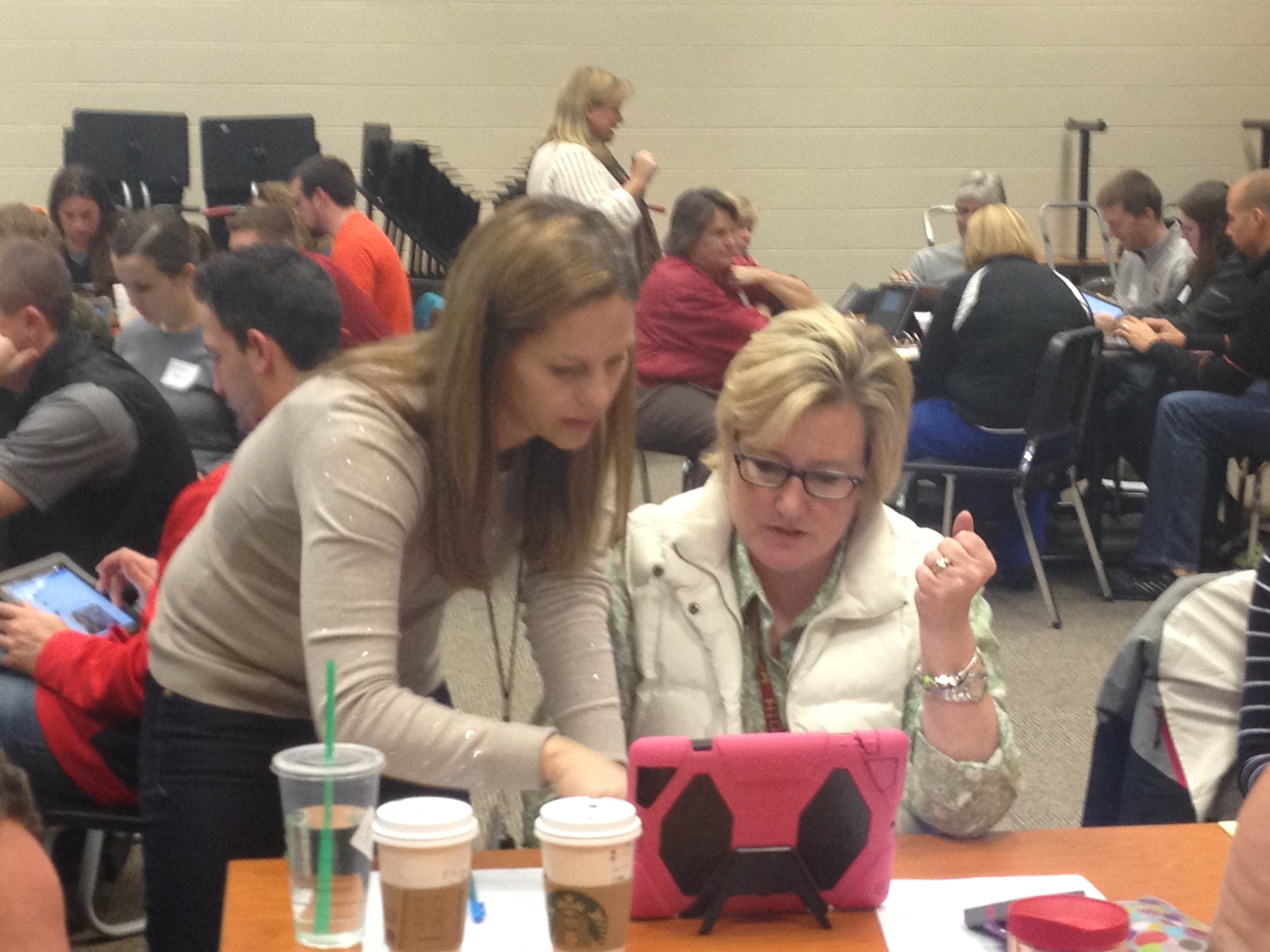
IMG_2789This year, one focus of professional development in our junior high buildings has been preparedness for next year’s one-to-one technology roll out. To be clear, teacher training in our district is never centered on technology as an end in itself, but on ways in which digital access serves as a powerful tool to extend, deepen, and personalize learning.

Today, HSE21 Shorts would like to introduce you to a PD model that has been successful and rewarding this year: the HSeLearning Cohort. Our inaugural HSeLearning Cohort has been a group of seventh and eighth grade teachers who are meeting this spring to expand their skill sets and prepare for change. The Cohort is composed of ten teachers from each of our District’s three junior high buildings (30 in all). Selected by their principals, these teachers cut across all subject areas but are united by their growth mindset and willingness to risk.

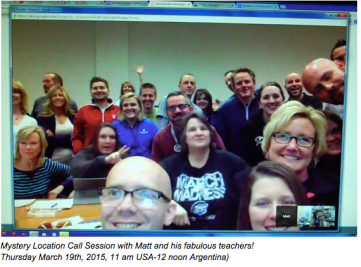
The HSeLearning Cohort has thus far completed three of four full days of learning together. Topics have ranged from district-supported software applications to social media to digital tools for formative assessment. Working in subject area teams, teachers have discovered portals fScreen Shot 2015-03-29 at 9.13.36 PMor rigorous and relevant digital content, and have explored their role as modelers of digital citizenship for this generation. With the help of Matt Miller (www.ditchthattextbook.com), the Cohort even dialogued with teacher in Argentina via Google Hangouts. Matt used this experience to help our teachers understand the potential global reach of our classrooms in the 21st century.

IMG_2792What has made the Cohort PD model enjoyable and successful? Many things: relevant, timely content that has emphasized practical classroom applications, time to design lessons and plan for next year, and, above all, relationship and connections. In coming back together each month this spring, HSeLearning Cohort teachers have had the opportunity to work together with others who teach the same academic content. They’ve built friendships. Though their buildings are miles apart (RJH to FJH to HJH = 12+ miles), HSE21 Shorts predicts that many of these teachers will continue to share ideas and collaborate–something that’s vital to highly effective teaching practice in today’s digital world.

 *Special thanks to CIESC for inspiration in the design of  the HSeLearning cohort model, and to the Indiana DOE’s Office of eLearning for professional learning grant funds.

iPads as Creation Tools

Meaningful technology integration deepens and enriches learning. Today’s post exemplifies this transformation, showing how this year’s fifth and sixth grade iPad roll out has enabled students to learn in active and inquiry-driven ways. As you read, notice that iPads are not used as expensive worksheets, but as creation tools.

image[1]Students in Stephanie Alig’s and MaryLynn Moore’s social studies classes at Riverside Intermediate learned about the Roman Empire this month through through a creative and interactive project. The students gathered in small groups to research an aspect of ancient Rome: clothing, government, war, games, architecture, religion, tools/weapons, or the fall of Rome.   The groups then wrote news skits, dressed in costume and acted out their interviews/skits. Skits were recorded using the camera on an iPad, and an app called Green Screen enabled the students to insert authentic Roman backgrounds into their image[2]new casts. Then skits were dropped into iMovie where each television news cast came together. Through this active learning process, historical Rome became real for the students, and understanding deepened. As a bonus, conversation was fostered at home, since it was easy for students to share their newscasts with their families.

image[3] image

Not GIRAFFE, GAFE!

Giraffa_camelopardalis_reticulata

HSE is a GAFE district. Start with the word GIRAFFE, now take out the IR and one F. There you have it. GAFE. That’s short for Google Apps for Education. What does this mean for our teachers and students? Read on!

What is GAFE?

Screen Shot 2015-01-12 at 11.47.50 AMThe Google corporation offers school districts the opportunity to create customized domain(s) within the Google universe (See: Google for Education) . Being a GAFE district means that HSE can assign each teacher and student a Google account, i.e., access to all Google apps and features, within the safe confines of a district’s own network. And it’s all for free.

What are the features of GAFE?

For starters, cloud storage. Each member of the HSE Google domain has a personal Google Drive with unlimited storage. Whether it’s video, images, presentations, spreadsheets, or documents, teachers and students can upload all of their files to their Google Drive for 24/7 access on any web-enabled device. And we never have to worry about running out of space!

Google owns YouTube. With every Google account comes a YouTube channel where teachers can upload and share student projects and presentations, building video portfolios of learning. Teachers can create lessons and tutorial videos for their students as well (sometimes called ‘flipping the classroom’). They can create playlists of educational videos for their students to watch…all without the ‘comments’ and ‘ads’ seen on public YouTube sites.

Inside Drive, Google has productivity tools: Google Docs, Slides, and Sheets. Through the ‘sharing’ feature, these apps allow for real time collaboration between multiple users. Between teacher and student, ‘sharing’ means that a teacher can provide input on a project, or edit a paper, before it’s handed in for a final grade. Amongst student teams, Google’s collaborative features foster teamwork and efficiency.

There are many other ways that Google tools complement 21st-century instruction. In future posts, HSE21 will highlight ways teachers are using Google apps to enrich and deepen learning in the classroom.

Image Source: Giraffa camelopardalis reticulata” by brookenovak – Flickr. Licensed under CC BY 2.0 via Wikimedia Commons – http://commons.wikimedia.org/wiki/File:Giraffa_camelopardalis_reticulata.jpg#mediaviewer/File:Giraffa_camelopardalis_reticulata.jpg

A Pilot Teacher Reflects

Today’s post is written by Max Goller, one of the eighteen teachers who has been an integral part of our HSE21 pilot for the past two-and-a-half years. HSE21 Shorts asked Mr. Goller to talk about what a technology-enabled classroom has meant to him as an educator. The Gonzo Journalism example is lagniappe! 

The digital invasion of Hamilton Southeastern is drawing to a close. Soon, student’s faces will be basked in the glow of their electronic devices.  It will be a time of fear and loathing…and more fear as we reconsider everything we have ever learned about learning. Having been on this runaway train since the term 1:1 first came into the district lexicon, I am here to inform you that your fears are all…

Let me stop there for a moment and share some background on the author Hunter S. Thompson. As you might already know, Hunter was the founder of a brand of journalism known as Gonzo Journalism. Gonzo Journalism is characterized by the insertion of a very strong, often dark bias about the subject being covered, frequently with the writer as a first-person protagonist. As you might have guessed, I have made use of this technique to introduce you to my experiences with 1:1, although I have to be honest and tell you there is very little to fear, and certainly nothing to loath about our move to digital technology. Here are some of my experiences as a 1:1 pilot instructor.  Results may vary.

As an English teacher, I have found much to appreciate about students having technology in their hands. Student compositions, which I have them type up in Google Docs, are much easier to handle. I can guide students through multiple revisions of papers and track their activity at all times. This not only gives me insight into their personal work ethic and motivation, but also it allows me to have a student turn in a paper before they have even begun working on it. This means I have a lot fewer missing assignments. Additionally, accommodations for different learning needs of students are easier to manage because I can see in real time what they are comprehending and what they are missing.

Technology in the classroom has opened more opportunities to tap into each student’s creative flair. I frequently invite students to select the apps that they think will work best for different projects. This might mean Tellegami character narrating a book talk, or sock puppets acting out scenes of a Shakespeare play, or multi-media iMovies of a rhetorical advertisement. It is a joy for me to see students interpret their tasks is ways that I could never have imagined on my own.

Group work plays a big part in my curriculum, and Google Drive has added flexibility to that process. Through Google Drive, students are able to share their work with each other, and members can be given the ability to read other member’s work to use as guidance for their own contribution, or they can be given the ability to fully edit a project collaboratively. When minds are able to connect and work cooperatively together, greater individual learning is often the result.

I won’t say that a move to the digital classroom will not be without its moments of frustration, fear, and at times maybe a little loathing. However, for me the opportunities have far outweighed the frustrations, and I have no desire to look back. 
Sixth Grade Science…for a New Generation!

alig3Indiana’s sixth grade science standards state that students will “understand that there are different forms of energy with unique characteristics.” In generations past, a lesson on this topic might have included reading a textbook section and filling in a worksheet, not a method conducive to deep learning. Today’s HSE21 Short, from Stephanie Alig’s classroom at Riverside Intermediate, provides a compelling example of 21st century learning, where student inquiry and collaboration, powered-up by 21st century digital learning tools, foster enduring understandings of important scientific concepts.

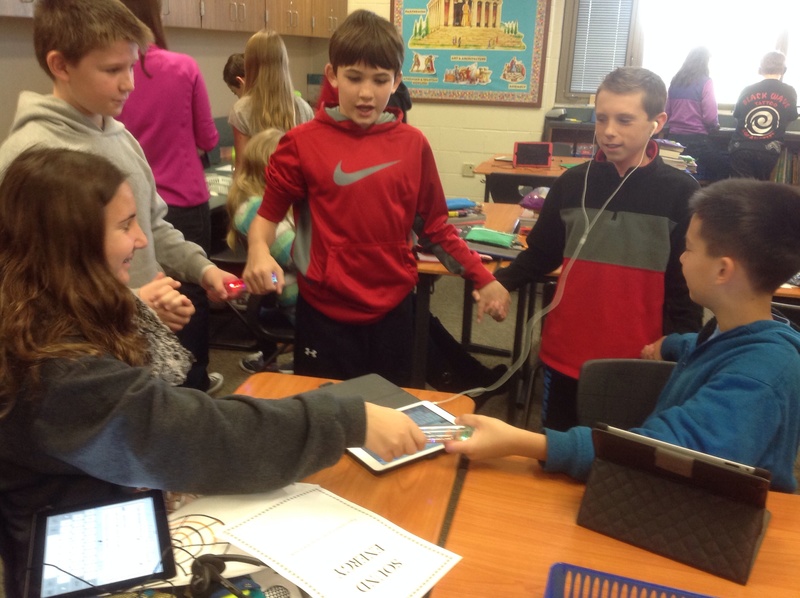
alig1“I placed students in groups of two or three, so that they might collaborate and learn from each other. Each group investigated a form of energy (sound, light, heat, electrical, chemical, or elastic), by researching in their textbooks and online with their iPads. Each group’s responsibility was to create a one-minute presentation representing their form of energy. Groups used a variety of digital presentation tools to share their findings: iMovie, Haiku Deck, and Adobe Voice were three popular tools.”

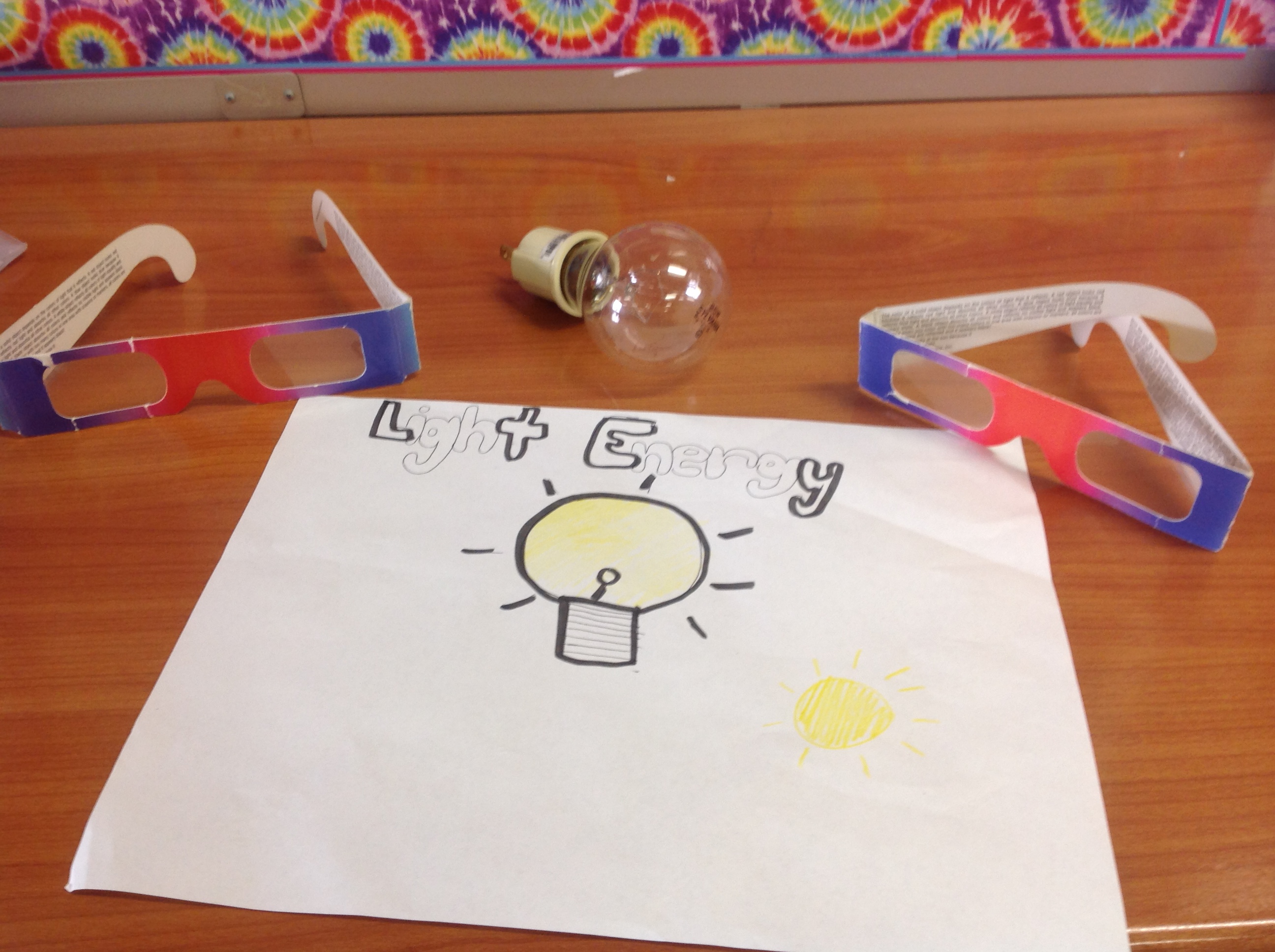
alig2“Next, groups created Auras (using Aurasma) or QR codes as vehicles for presentation sharing. I placed the Auras and QR codes at ‘energy stations’ where the students a) watched the presentations; b) completed a mini-lab (made a circuit, energy sticks, measured heat, vinegar/baking soda, poppers, and diffraction grating glasses); and, c) submitted responses through Blackboard to demonstrate their understanding.”

If you are over thirty, does that sound like YOUR sixth grade science instruction?

Catapults, Collaboration and Creative Design

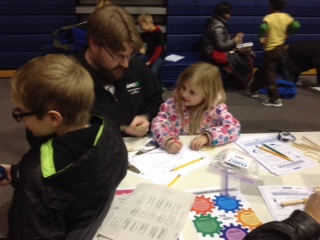
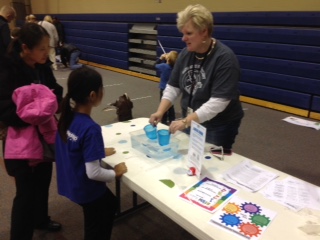
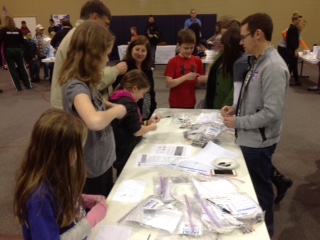
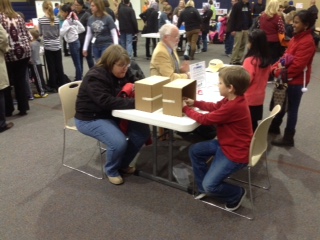
Youngimage004 children are naturals when it comes to creation and design. Catapults, rockets, roller coasters…just mention these words, and creative constructions are not far behind! Sand Creek Elementary recently provided a wonderful opportunity for   budding engineers and designers to explore science, technology, engineering, and mathematics (STEM). The event, known as Family Engineering Night, brought together over two-hundred-and-fifty members of the SCE community.  
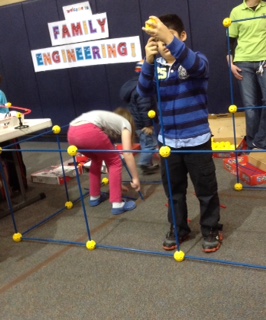
Family Engineering Night came about through the vision of SCE third-grade teacher Holly Miller, who was awarded a grant for the project from the Hamilton Southeastern Schools Foundation. Attendees of the event witnessed a packed gymnasium where students and their families visited their choice of thirty hands-on engineering stations. Side-by-side, children and adults practiced creative design, critical thinking, and problem-solving. What type of boat will hold the most pennies? Can we design a roller coaster that will keep a marble moving for 5 seconds? Which materials make the most powerful catapult? Inquiry, design, and family interaction were highlights of the smashingly-successful evening…the photos shown here tell the story best.

FullSizeRender FullSizeRender[1]FullSizeRender[1] IMG_1671 IMG_1647 IMG_1651IMG_1658

Day 59 – The Construction of Millerville

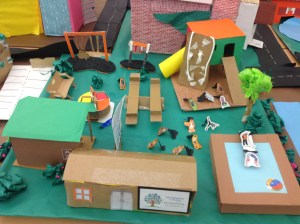
Students in Holly Miller’s third grade class at Sand Creek Elementary recently got to experience how a real city or town operates. As part of their academic standards, the class studied the wide of variety roles that a community must fill in order to function as a town/city. Then the student-driven portion of the project began! With additional instruction and resources from media specialist Laura Collier, each class member filled out a job applicatiIMG_1611on for a role that interested him or her. Available roles included the mayor, city council member, employee of the public works or parks and recreation departments, a career with the fire or police department, and more!
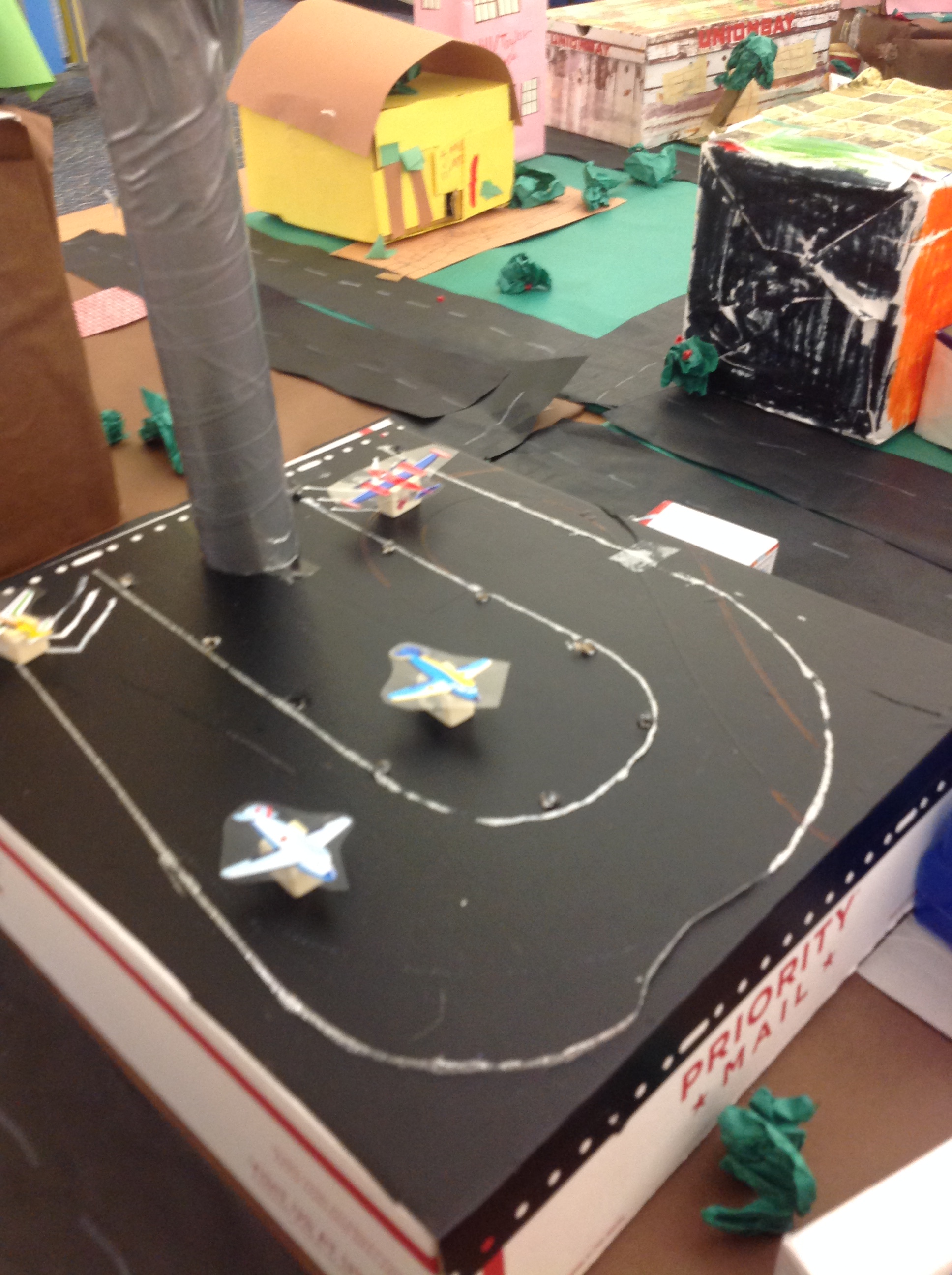
IMG_1582After a city mayor was elected and other roles assigned by interest, students practiced their research skills in the library, looking for reliable information about their chosen job. Students used that knowledge to build a 3-D representation of the town of “Millerville.” In addition to the content learned, the Millerville project gave students practice in collaboration and team-building, a visual representatiIMG_1608on of the necessities of a town,  and even included a math lesson on scale! Mrs. Miller and Mrs. Collier both declared this cross-curricular, collaborative unit to be a huge success–the students agreed!

Day 55 – Learning About Authors Using QR Codes

In the library media center, the numbers we used to focus on were ones like 551.5 or 796.32 – the Dewey Decimal System numbers! Today we’re thinking a bit more outside the box! During the fall of 2014 we focused on these numbers: 1 goal; 2 grades; 3 months; 4 C’s; 5 W’s and a partridge in a pear tree. OK…no partridge, but QR codes and authors in the LRES LMC!

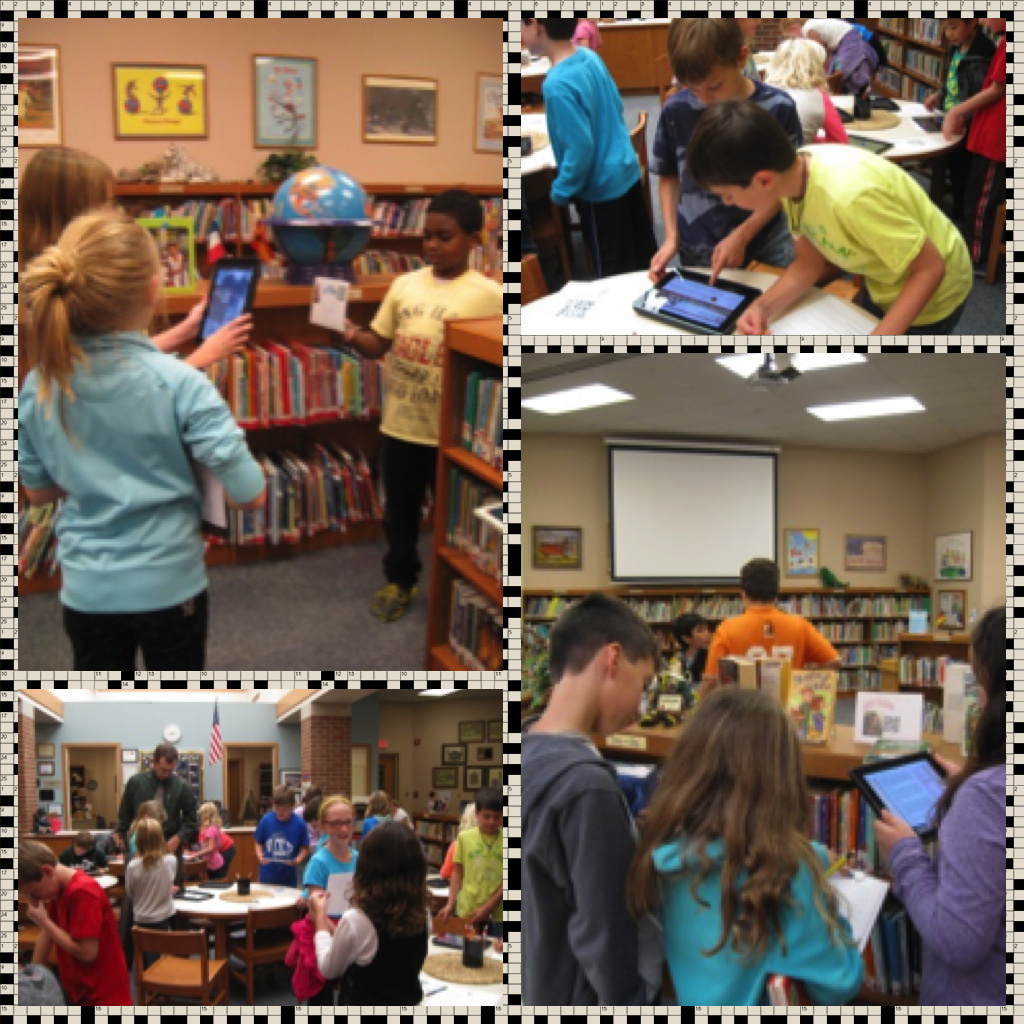
lrescollage2At Lantern Road Elementary School I have one goal for my students when they come to the library each week – learn something new! It might be a new story, a new fact or how to use a new piece of technology. Two grades, third and fourth grades, collaborated on a special project this fall to help students quickly reach that goal. It took us the better part of three months, but our goal was reached! We incorporated the four C’s, communication, collaboration, critical thinking and creativity, to introduce 560+ students and parents to some of our favorite authors and their websites. Once they were able to visit author websites via the iPad and QR codes, students were able to gain knowledge of the five W’s – who, what, when, where, and why!

lrescollageBenjamin Franklin said, “Tell me and I forget, teach me and I may remember, involve me and I learn.” I wanted the students to learn about authors and QR codes so they created and used them. Knowing very little about QR codes (Quick Response codes) myself, in August I took an online webinar through www.simplek12.com about QR codes and differentiating instruction using them. That’s all it took – I was excited to create with my students. In September the third grade students learned how to create QR codes using www.qrstuff.com. They created signs for the library media center that included an author’s name, a picture of the author, and a QR code linked to the author’s website. During October, fourth grade students used iPads and the QR Reader app to go on a scavenger hunt to find interesting information about authors and their books. Hopefully now when parents come in on our Family Reading Nights, they can use their devices to scan the signs for information also!

The numbers certainly add up to learning at Lantern Road Elementary School!!

-Submitted by Lori Silbert, Library Media Specialist, Lantern Road Elementary School