Education Is Important Because…

murch1

Many thanks to Amy Murch for sharing this important global education program! Read on…

Students in Amy Murch’s fourth grade class at Brooks School Elementary recently met global explorer Justin Miles from London, England! How? Through Skype in the Classroom! Through this video conference, Amy’s students learned about Justin’s many adventures, his passions and thoughts on exploration, and his genuine love for learning. Justin taught the students about geography coordinates for finding different locations all around the world, and shared stories from his adventures in the Arctic. Students were able to interact with him by asking questions, sharing stories, and finding different locations around the world using latitude and longitude. Justin’s biggest objective was to introduce  the students to an inspiring challenge, called #educationisimportantbecause or #EAA.

Did you know there are approximately 58 million children around the globe who do not have access to education due to various conditions and situations? Through explorations, adventures, and his work as a children’s author, Justin Miles is spreading the word about the global education program ‘Educate A Child’. He created a website to collect letters from children all around the world on why they think education is important. Please check out this link: http://educationisimportantbecause.org/
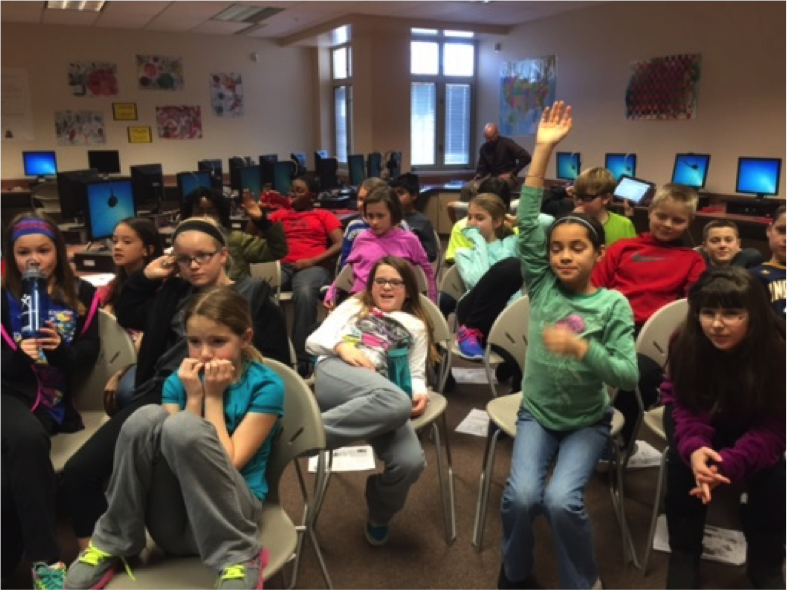
murch2Mrs. Murch’s students accepted the challenge and wrote letters to Justin about why they think education is important. These letters are now going global! “It’s just another way to demonstrate the importance and excitement of global learning,” said Murch. “My students LOVE doing Skype lessons each week. We Skype experts into our classroom to teach and demonstrate new concepts of our curriculum, we play Mystery Skype (a geography skills game of questioning, research and adventure), and we meet authors like Justin who help us connect and learn about what’s happening around the globe. Skype allows us to make real life connections which turns into real life learning.”

Follow Justin on Twitter @ExplorerJust
Follow Amy on Twitter @TeamMurch4

A Peek Into the Socratic Seminar

IMG_0233

The Socratic Seminar is often thought of as a discussion tool–a way to foster student dialogue around important topics–much like its namesake, Socrates, instigated  thought and dialogue around the issues of his day. While true, this statement leaves much unsaid. In reality, the classroom Socratic Seminar, when well-planned and executed, fosters important reading and comprehension skills, helps students build and communicate evidence-based arguments, all in addition to helping students deeply consider the complexities of the topic at hand.

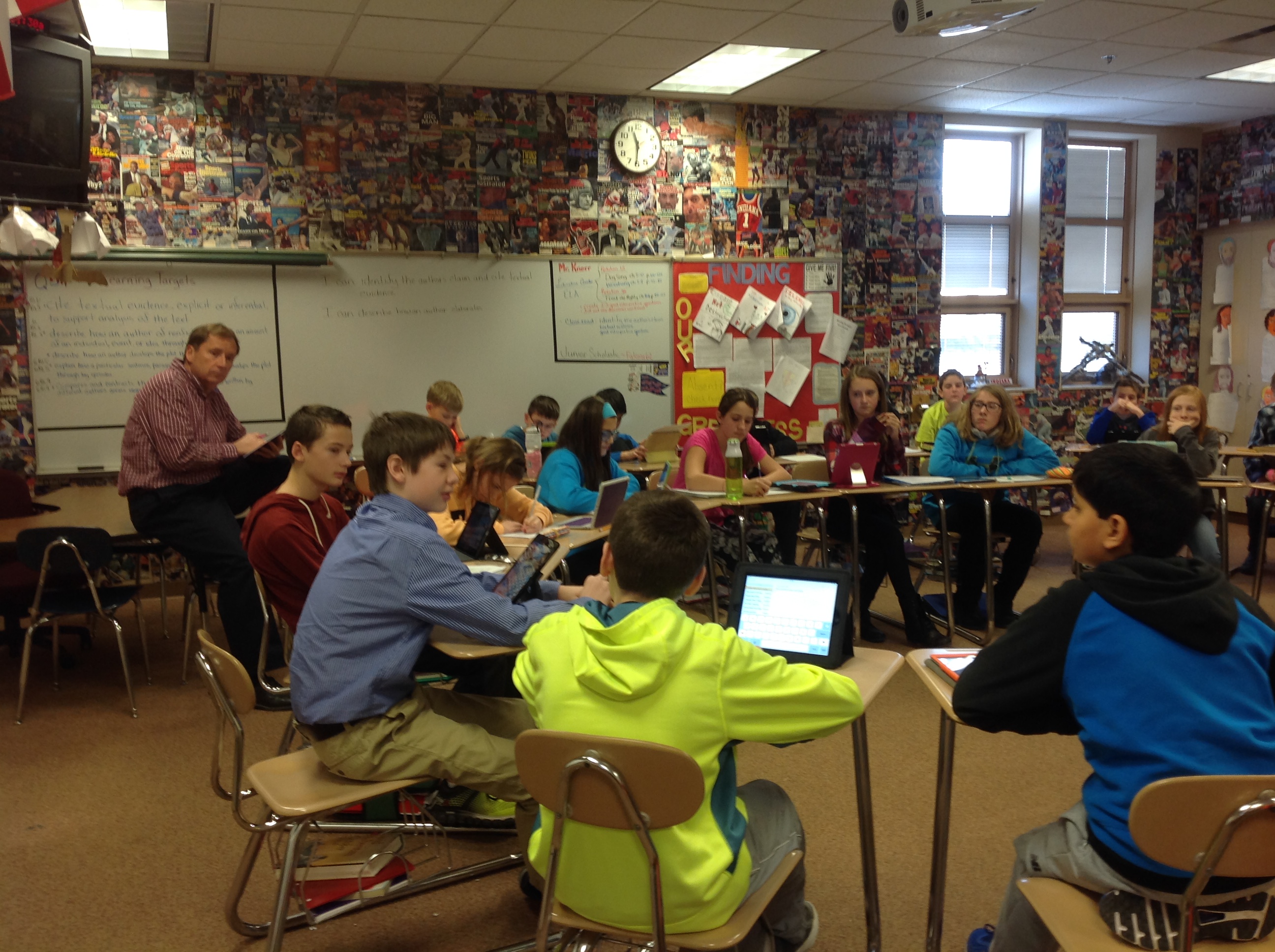
IMG_0238Karl Knerr, sixth grade language arts teacher at Fall Creek Intermediate School, describes how the process unfolds in his class: “Students read articles closely, identify and underline the author’s claim/central idea of the text, highlight textual evidence that supports the claim, and mark the text.  Next, they create 2-3 good interpretive questions that they will use during the discussion (these should also be supported with textual evidence).”

IMG_0225When discussion day arrives, students have already digested the articles and formed questions  that will guide discussion. . They have a basic understanding of the broad issue/topic addressed (albeit still from only their own perspective). By this time in the school year, Mr. Knerr’s students know what is expected of them during a Socratic Seminar. They’ve learned about sensitivity to other points of view, about the importance of listening as well as speaking, and about giving evidence to support their claims. IMG_0216In observing a recent Socratic Seminar in Mr. Knerr’s class, HSE21 Shorts was amazed at the natural ebb and flow of the conversation amongst these eleven- and twelve-year-olds, and at how politely and intently they listened to their peers, even to the point of purposefully creating space in the conversation for the quieter students to be heard.

“What I’ve seen from our Socratic discussions,” remarked Mr. Knerr,  “is a deeper understanding about ideas and values in the text through different points-of-view. Students question and examine issues related to what they’ve read, and connect to the Indiana Academic standards we are currently studying.  We constantly analyze, interpret, listen, and participate with our peers to gain knowledge.  Students think out loud and share ideas openly while exploring deeper issues in the text.  They often make great connections between the texts as well.”

Positive Digital Footprints

Thanks to media specialist Kelly Pidcock at Geist Elementary School for today’s post! HSE’s media specialists take the lead role in teaching digital citizenship skills in our schools.  ges3

Whether ges1at school or home, playing in their neighborhoods or surfing the web, speaking face-to-face or talking through electronic devices, Geist Elementary students are encouraged to “do the right thing and treat people right”.
As Geist Elementary’s media specialist, I am passionate about teaching my students the importance of leaving a path of unmistakably positive digital footprints as they travel through the cyber world. As a result of these goals, third and fourth graders are learning about digital citizenship with instructional materials and videos from BrainPOP, Netsmartz Kids and Common Sense Media websites. The series of lessons centers around three topics: (1)responsibility to self, family and friends, and the larger community; (2)protection of private ges2information; and (3)cyberbullying. During the final class, partners use an app called Make Beliefs Comix to create an example of a cyber bullying situation handled in an appropriate way. The comic above is one example!
The 21st Century Research Project: Literacy Instruction on Steroids

As an education major in the 20th century, I was schooled in four components of literacy instruction: reading, writing, speaking, and listening. These were foundational. They still are. In today’s world, though, additional literacies, sort-of ‘sub-category’ literacies, are vital as well. Depending on your source, there’s visual literacy, media literacy, and multimedia literacy. Add digital literacy, technological literacy, and (my favorite) information literacy. Clearly, these overlap; but the implication is obvious: today’s teachers have a lot of ground to cover in preparing their students to be fully-literate adults!

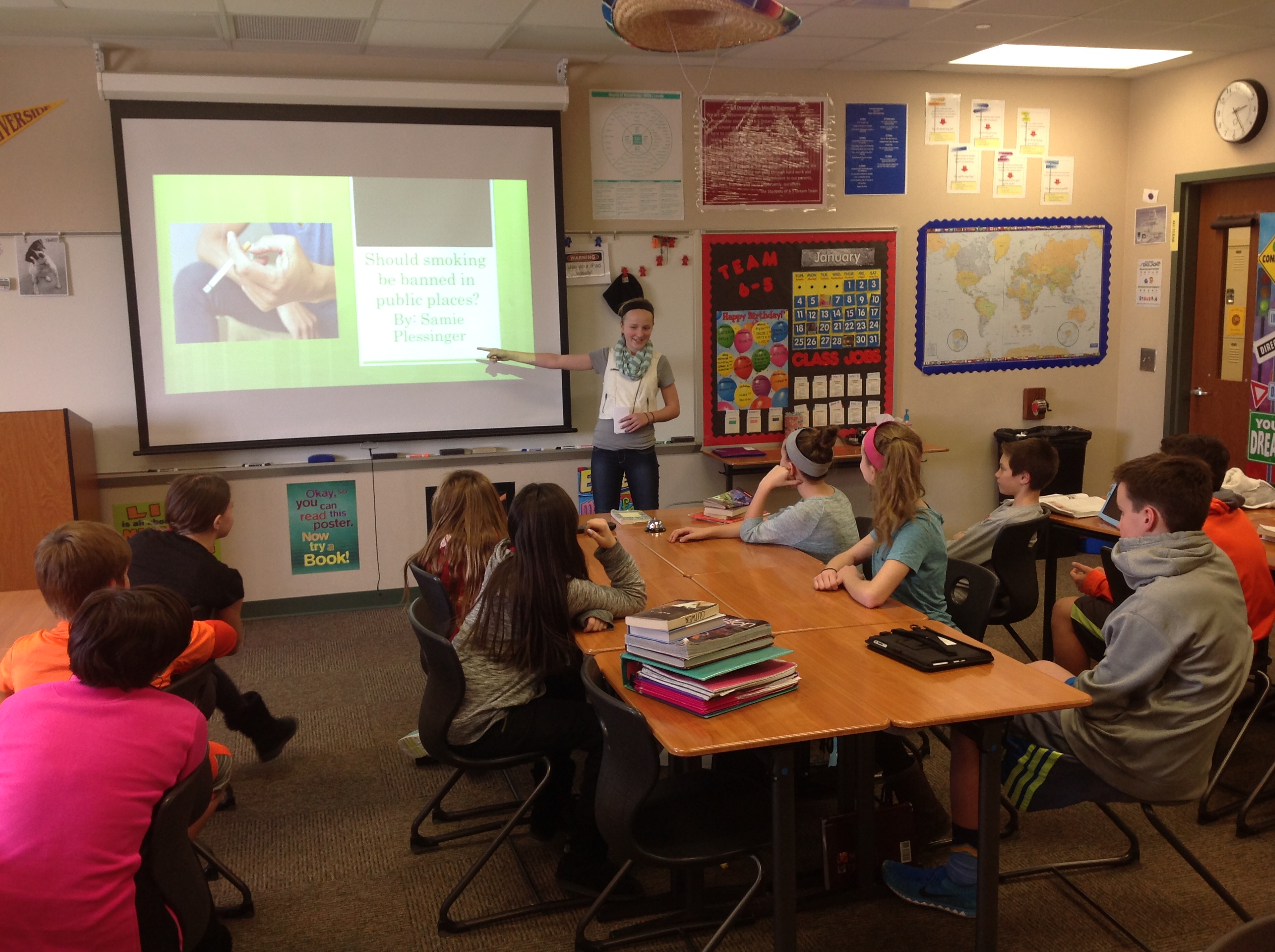
Sixth-grader Samie argues that smoking be banned in public places. Her great preparation and depth of research earned her a perfect score on the project!

Sixth-grader Samie argues that smoking be banned in public places. Her great preparation and depth of research earned her a perfect score on the project!

In the traditional or ‘old school’ research project, students read and write. They choose a topic, find information (remember the 100 notecards?), organize that information, and write a paper. The best research projects today, however, require students to practice both traditional and 21st century literacies–so much so that I call these projects literacy-instruction-on-steroids!  Great teachers are adept at designing projects through which students get to delve into every named aspect of literacy, and more.

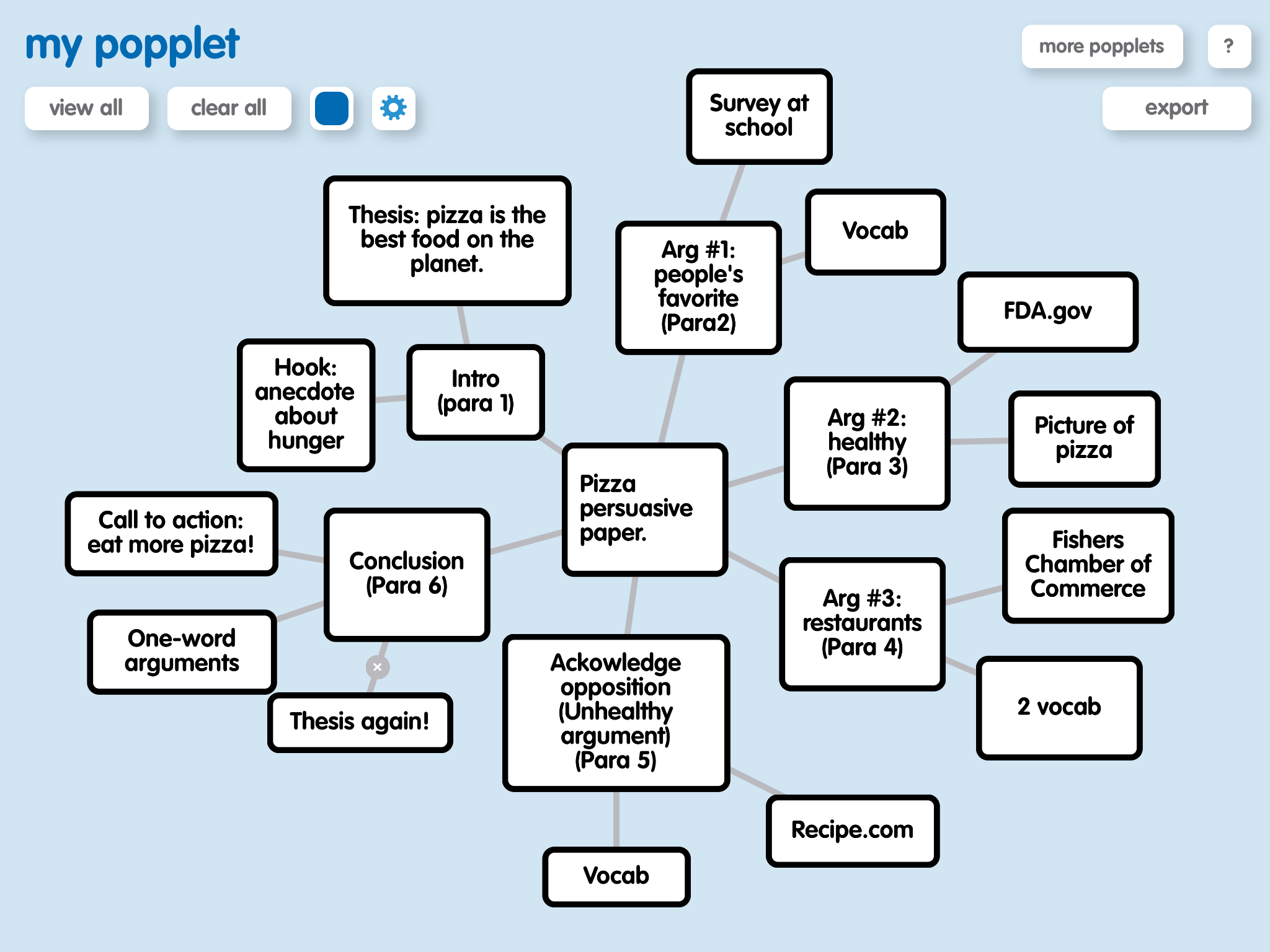
Mr. Gutwein used the topic of pizza to demonstrate the mapping app Popplet for his students.

Mr. Gutwein used the topic of pizza to demonstrate the mapping app Popplet for his students.

Here’s an example: In their recent unit on persuasion, Aaron Gutwein’s sixth-graders at Riverside Intermediate first chose their own topics (all were current issues). They conferenced one-on-one with Gutwein, who guided each student to formulate a ‘big idea’ and direction for research. Students did lots of deep thinking as they sought information, mapped out arguments, gathered feedback, tweaked their plans, again sought information—over and over in a recursive process of multi-layered literacy instruction. Students used digital tools to access and organize information, and to build creative presentations. They shared their findings with peers.

Some key results of the project:

  • A deeper understanding of current issues, along with their nuances and complexities.
  • An understanding of how and where to find valid information, and what it means to make evidenced-based claims.
  • And, of course, practice in literacy skills, both the old and the new.

A Google Community of Readers

Screen Shot 2015-01-12 at 7.45.23 PM

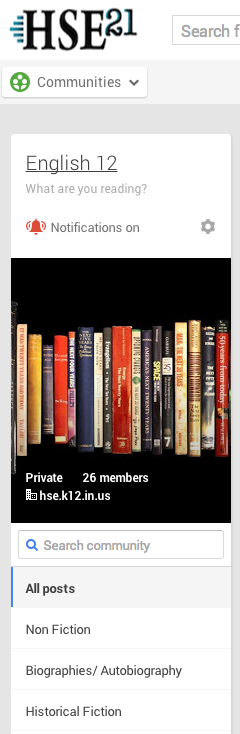
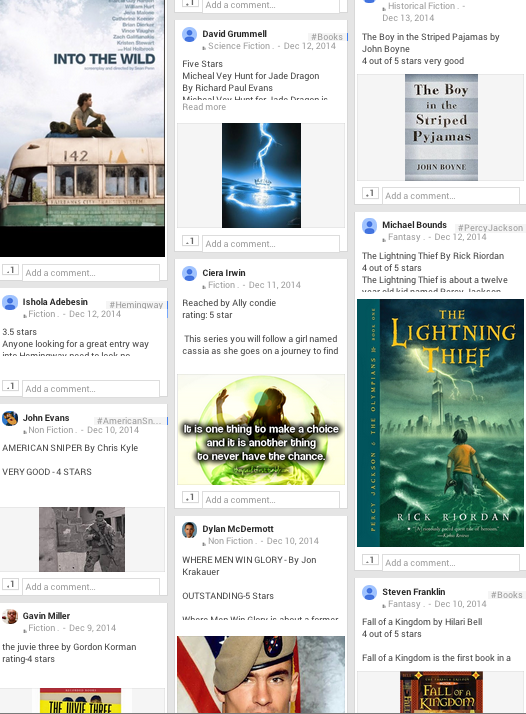
Independent reading is an important way to learn and grow–even when one is a high school senior. Jennifer Jacobs, English teacher at HSE High School, has taken advantage of our district’s GAFE status (see yesterday’s post) to encourage her students to connect and communicate about their reading. Jacobs created a Google Community, called (of all things!) English 12, and posted the prompt, What are you reading? 

Students have requirements to participate in the Google Community throughout the semester, by sharing their thoughts about what they are personally reading. Much like customers at Amazon, students can rate the books they’ve read, recommending them (or not) to peers as they see fit.

Many types of books are already represented in the English 12 Community, so much so that Jacobs has created subdivision tags for specific genres. Now it’s easy for students to click on a genre tag and explore other books they might like. Did you read Unbroken and love it? Just click on non-fiction and look for another similar memoir!

Screen Shot 2015-01-07 at 12.40.48 PM

Not GIRAFFE, GAFE!

Giraffa_camelopardalis_reticulata

HSE is a GAFE district. Start with the word GIRAFFE, now take out the IR and one F. There you have it. GAFE. That’s short for Google Apps for Education. What does this mean for our teachers and students? Read on!

What is GAFE?

Screen Shot 2015-01-12 at 11.47.50 AMThe Google corporation offers school districts the opportunity to create customized domain(s) within the Google universe (See: Google for Education) . Being a GAFE district means that HSE can assign each teacher and student a Google account, i.e., access to all Google apps and features, within the safe confines of a district’s own network. And it’s all for free.

What are the features of GAFE?

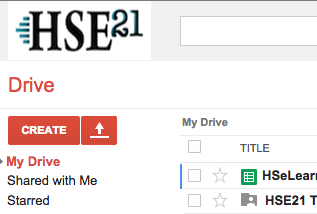
For starters, cloud storage. Each member of the HSE Google domain has a personal Google Drive with unlimited storage. Whether it’s video, images, presentations, spreadsheets, or documents, teachers and students can upload all of their files to their Google Drive for 24/7 access on any web-enabled device. And we never have to worry about running out of space!

Google owns YouTube. With every Google account comes a YouTube channel where teachers can upload and share student projects and presentations, building video portfolios of learning. Teachers can create lessons and tutorial videos for their students as well (sometimes called ‘flipping the classroom’). They can create playlists of educational videos for their students to watch…all without the ‘comments’ and ‘ads’ seen on public YouTube sites.

Inside Drive, Google has productivity tools: Google Docs, Slides, and Sheets. Through the ‘sharing’ feature, these apps allow for real time collaboration between multiple users. Between teacher and student, ‘sharing’ means that a teacher can provide input on a project, or edit a paper, before it’s handed in for a final grade. Amongst student teams, Google’s collaborative features foster teamwork and efficiency.

There are many other ways that Google tools complement 21st-century instruction. In future posts, HSE21 will highlight ways teachers are using Google apps to enrich and deepen learning in the classroom.

Image Source: Giraffa camelopardalis reticulata” by brookenovak – Flickr. Licensed under CC BY 2.0 via Wikimedia Commons – http://commons.wikimedia.org/wiki/File:Giraffa_camelopardalis_reticulata.jpg#mediaviewer/File:Giraffa_camelopardalis_reticulata.jpg

Pinterest: A Classroom Encyclopedia of Ideas

Thanks to Hamilton Southeastern High School Art Teacher Liz Clark for today’s post!

“Great things are done by a series of small things brought together.” -Vincent Van Gogh

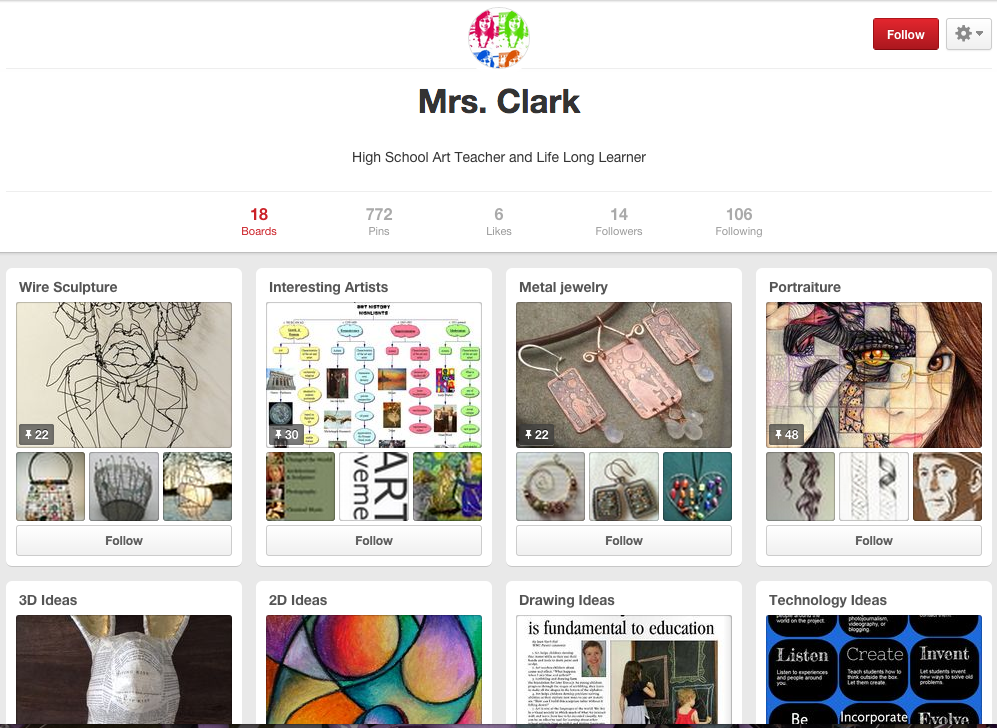
Screen Shot 2015-01-06 at 11.24.48 PMArt is about the process as well as the product. As students become more sophisticated as artists, they need to understand the importance of devoting adequate time to research, planning, and idea generation. Most students want to breeze over this step and go straight to production. After they start, most students realize that they did not spend enough time thinking through the process. Often this realization comes after they have devoted a great deal of time to an idea that does not work. How could I get my classes to spend time planning and developing an idea before committing it to materials?

I discovered a great way to help students gather and connect relevant information in order to make well informed artistic decisions. My students started using a social network called Pinterest. Pinterest is like a virtual scrapbook. It is great for organizing information and visual brainstorming. I use it to collect resources for students about a topic. In the past, I checked out books from the library with examples. Often, the examples weren’t current. Now, students can see what I want them to see and create their own boards if they choose.

There are many great ideas on Pinterest. My students spend time on the site outside of the classroom. Many of them create their own pin boards. It inspires self-directed learning.

#HourOfCode #Encore!

HSE21 Shorts couldn’t resist sharing this student-produced Hour Of Code recap that came in today! Thanks to directors Logan, Justin, Ian, and Micah (of Sand Creek Intermediate School) for a helping us to understand the Hour of Code from a sixth-grader’s perspective. Enjoy!


Coding = Future = Fun

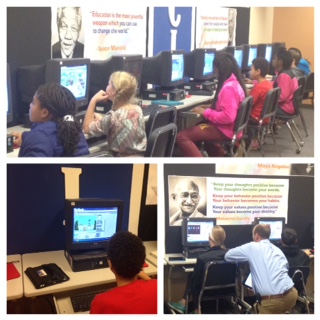
As we close on the 2014 Hour of Code week in HSE Schools, take a look at this two-minute wrap-up highlighting the impact of the experience in just one school! Thanks to fourth grade teacher Courtney Gibson for creating and sharing this recap. Click on any of the images below to be directed to the video.

Screen Shot 2015-01-04 at 6.20.26 PM Screen Shot 2015-01-04 at 6.21.34 PM

Screen Shot 2015-01-04 at 6.08.03 PM Screen Shot 2015-01-04 at 6.10.02 PM


Kindercoders!

As part of our week-long focus on the Hour of Code, HSE21 Shorts decide to ask our youngest learners and their teachers to weigh in on the big event. Elementary teachers report that the resources suggested by code.org have been both educational and entertaining. Through fun activities/apps like Kodable and Daisy the Dinosaur, even students as young as kindergarteners have been exposed to the basics of coding. Here’s what a few of these youngest students had to say about their coding experiences:

image[1] “Mom, can I do this Kodable app for my (bedtime) story tonight? It makes me think just like I do when I am reading.”

“I did it myself!” 

“This learning is really fun!”

“Do we really have to stop?”

image“I like  challenge!”

“I made him dance a jig”

Yes! Yes! Yeesss! I did it!”

“I have a huge silver dragon!”

“This makes me think!”

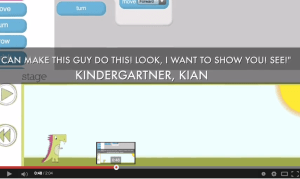
“I can make this guy do this!  Look, I want to show you! (pause while he shows me) SEE?!”

“YES! I GOT TO THE NEXT LEVEL!”

Oh I just growed huge!  Daisy just grew huge! It was AWESOME!”

“LOOK AT THIS! LOOK HOW TINY I MADE DAISY!”

“This is so cool – it’s like playing!”

Third and fourth graders, also, seem to love taking part in the Hour of Code. From their comments below, it’s easy to see that these students are making connections–that in coding the movements of a game character, they are actually programming, and that programming is fun!

“I really liked how it challenged you and was still fun at the same time.  I would for sure do it in my free time.  It is cool that we have the capability from these apps to be able to program on our own.”

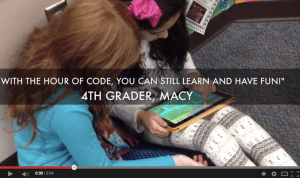
picstitch“Some kids don’t like school and don’t like to work, but with the Hour of Code, you can still learn and have fun!”

 “The Hour of Code was fun because you could make the characters do whatever you wanted.”

 “It was really fun because you got to see a lot of different funny things the characters can do.” 

 “It’s addicting because when you play a new game you like it a lot and then you don’t want to stop.”

 “It was fun because you can program a game to do what you want it to do.”

 “It’s so awesome because I kept on making Daisy big and small and make her break dance.”

 “I liked Scratch, Jr. because you can make your own person whatever color you want to.”

It was awesome because you never want to stop coding.  When I first starting playing Foos I just wanted to keep playing more levels.  When I got stuck I just asked a friend to help me.”

What insight–even fourth graders have recognized the potential impact of coding to engage students who don’t necessarily love school! At this rate, HSE21 Shorts wouldn’t be surprised if, in a few short years, computer programming classes in our high schools are full to overflowing!